
suchi
00.00 suchi · an index

The document archive that files itself.

Years of documents, saved everywhere, findable nowhere. suchi puts every one of them in its place: each document lands in a numbered category, and every word of it is searchable. One small binary, with a filing system and an AI agent surface built in.

email it, scan it, upload it. it comes out named, filed, and searchable

Private by design Works from your phone No lock-in
Interactive demo Choose an area
22Investments52 docs
23Taxes+1 filed
24Loans & credit17 docs
25Receipts44 docs
now filing · original kept as-is IMG_2047.pdf → 20-29 Money / 23 Taxes · “W-2 2025”
00–09 See it

Watch a document find its place.

A scan called IMG_2047.pdf arrives. suchi reads it, sees it's a tax form, gives it a useful name, and files it under Tax where it belongs. Nothing to decide, no typing, no dragging into folders. The companion app puts the same archive on your phone. Scan the next page, look something up, or keep important files available offline.

suchi · dropped in, filed, found
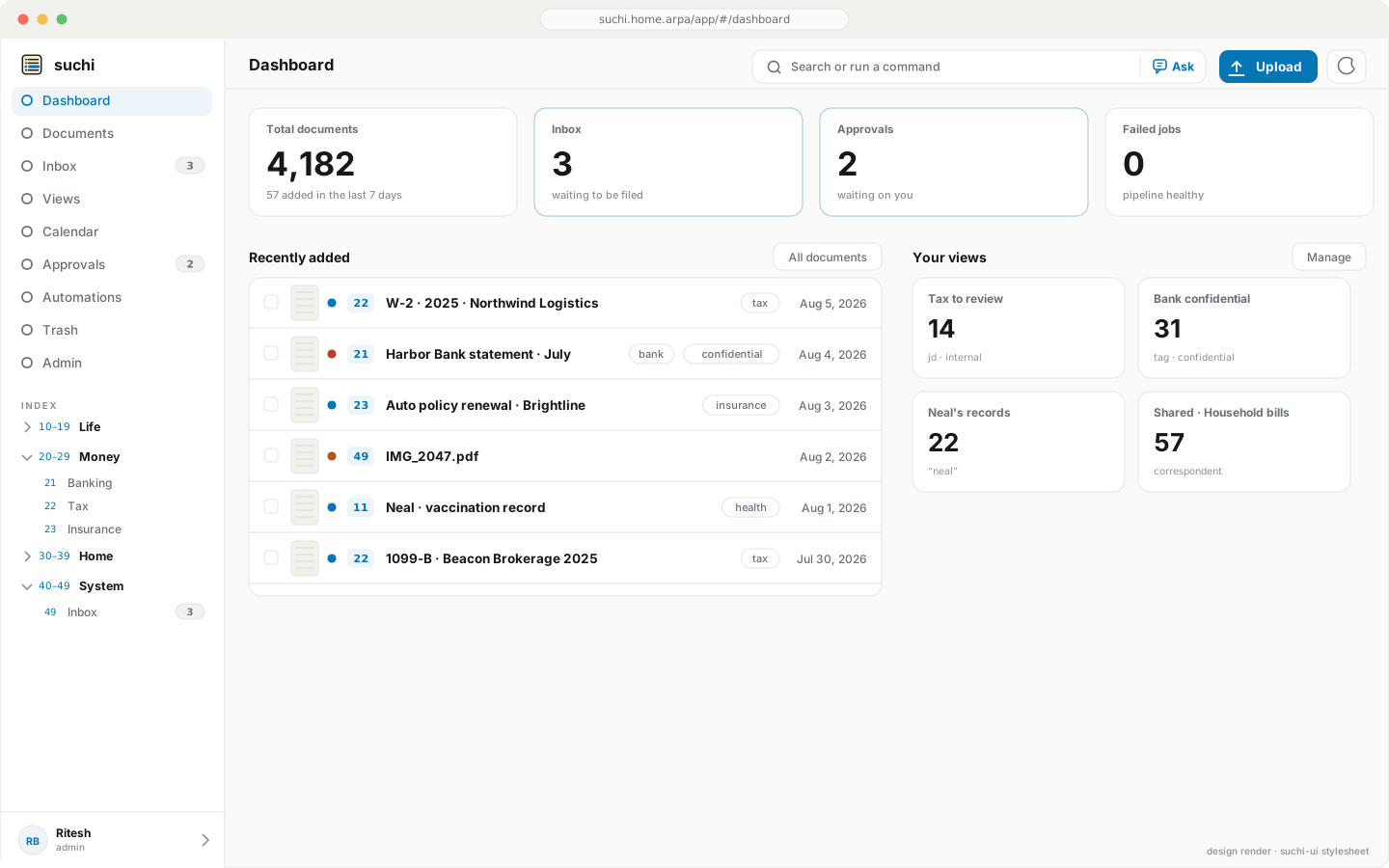
suchi dashboard: archive status cards, recently added documents, upcoming calendar dates, and saved view shortcuts
The dashboard. Archive status, the newest arrivals, upcoming dates, and saved views that reopen their filters.
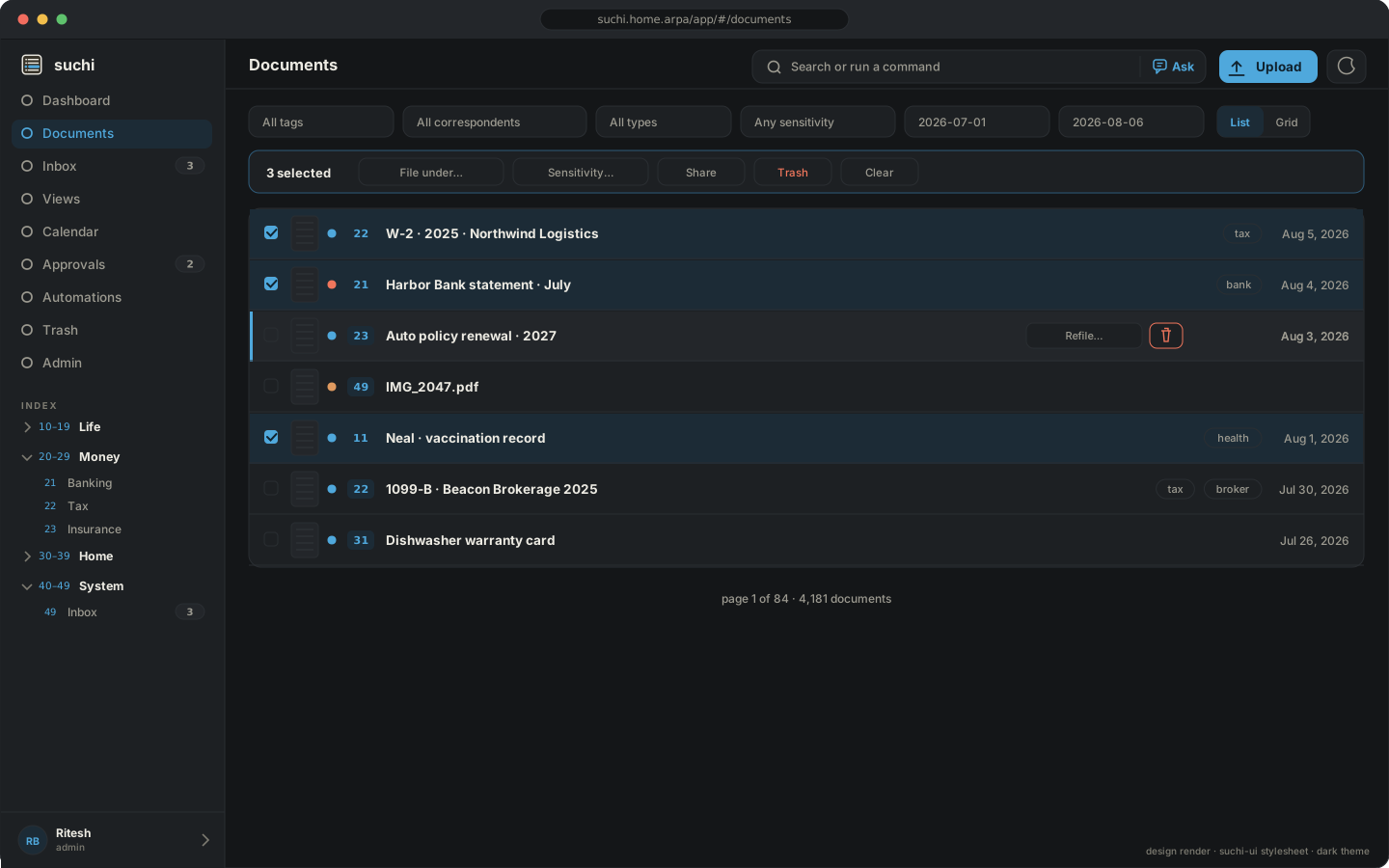
Documents list in dark mode with thumbnails, multi-select and a bulk action bar
Working through a pile. Select several documents and refile or trash them together, or share them with a link you can revoke. Dark mode included.
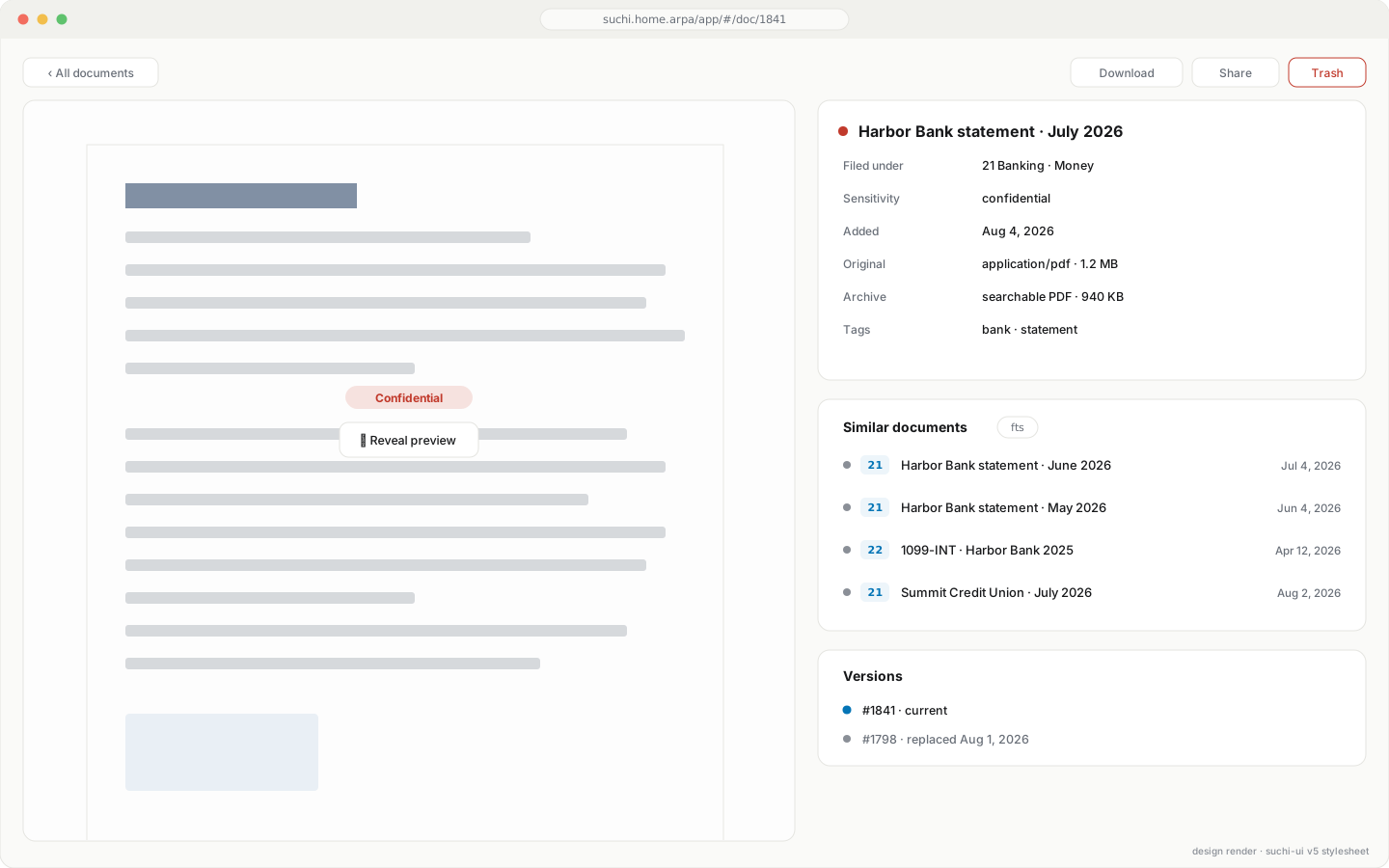
Document detail showing Similar documents, Linked documents, Versions, and Notes tabs
One document, everything about it. Confidential previews stay blurred, notes and earlier versions stay available, named links connect related records, and similar documents are one tab away.
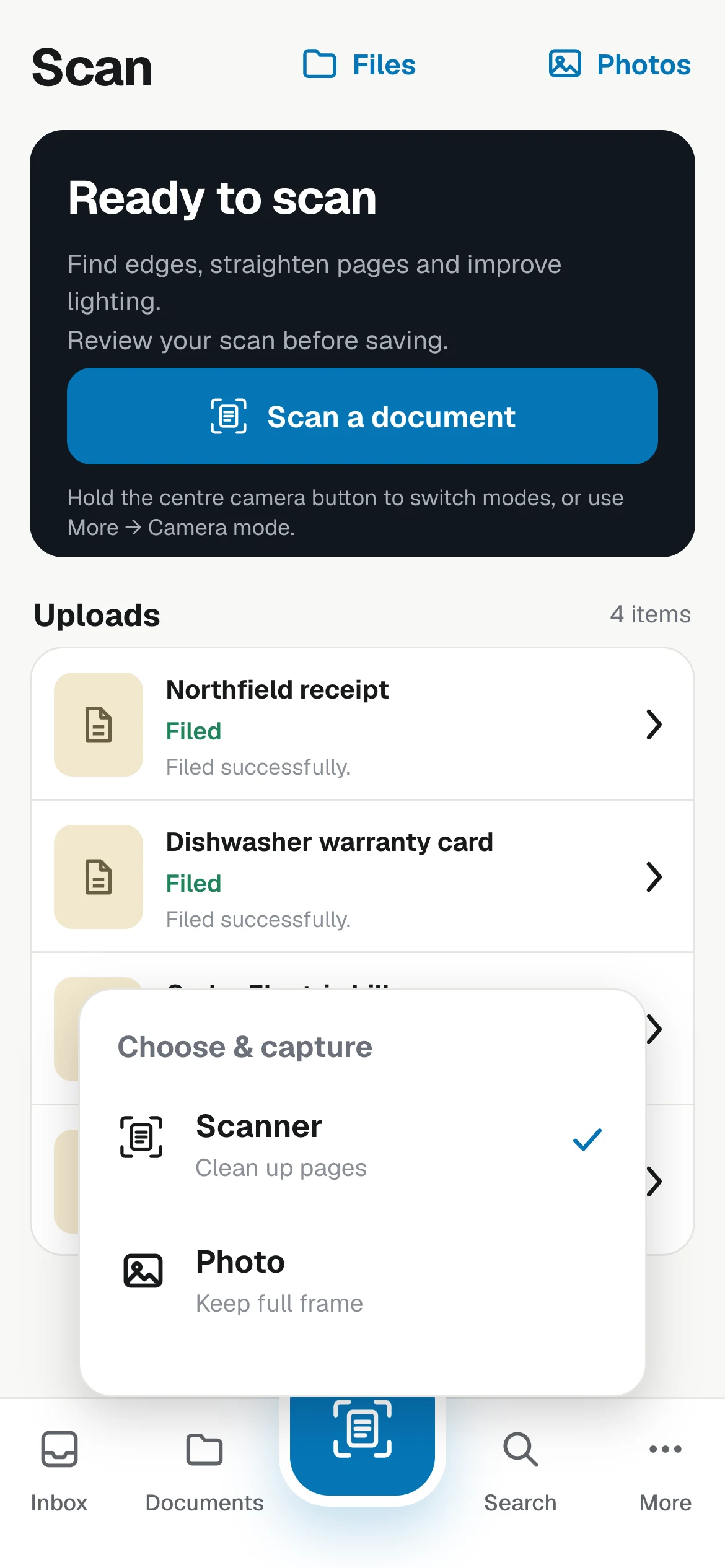
Suchi companion Scan screen with Files and Photos actions and scanner or photo mode selector
Capture Scan or import a document.
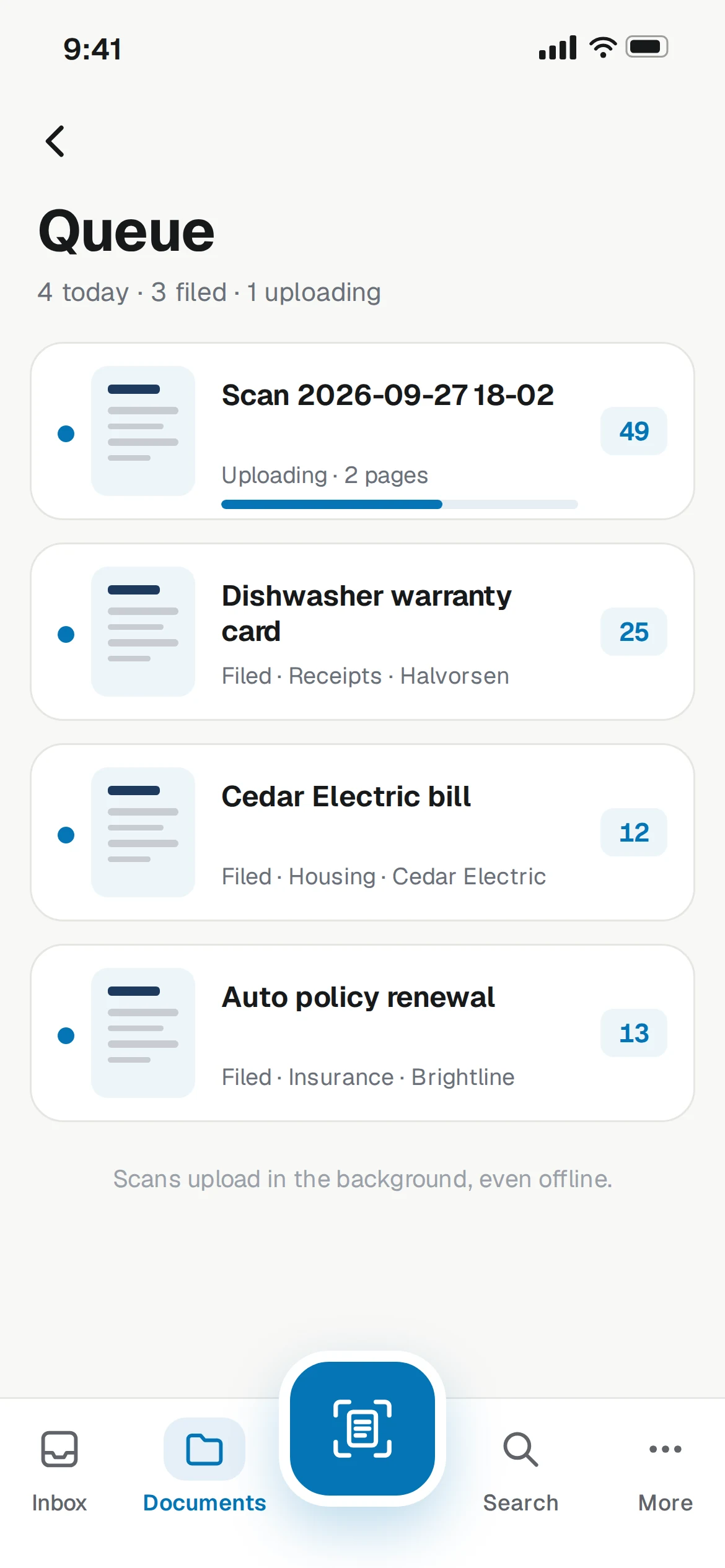
Suchi companion queue showing recently filed documents and their destinations
Queue See what arrived and where it landed.
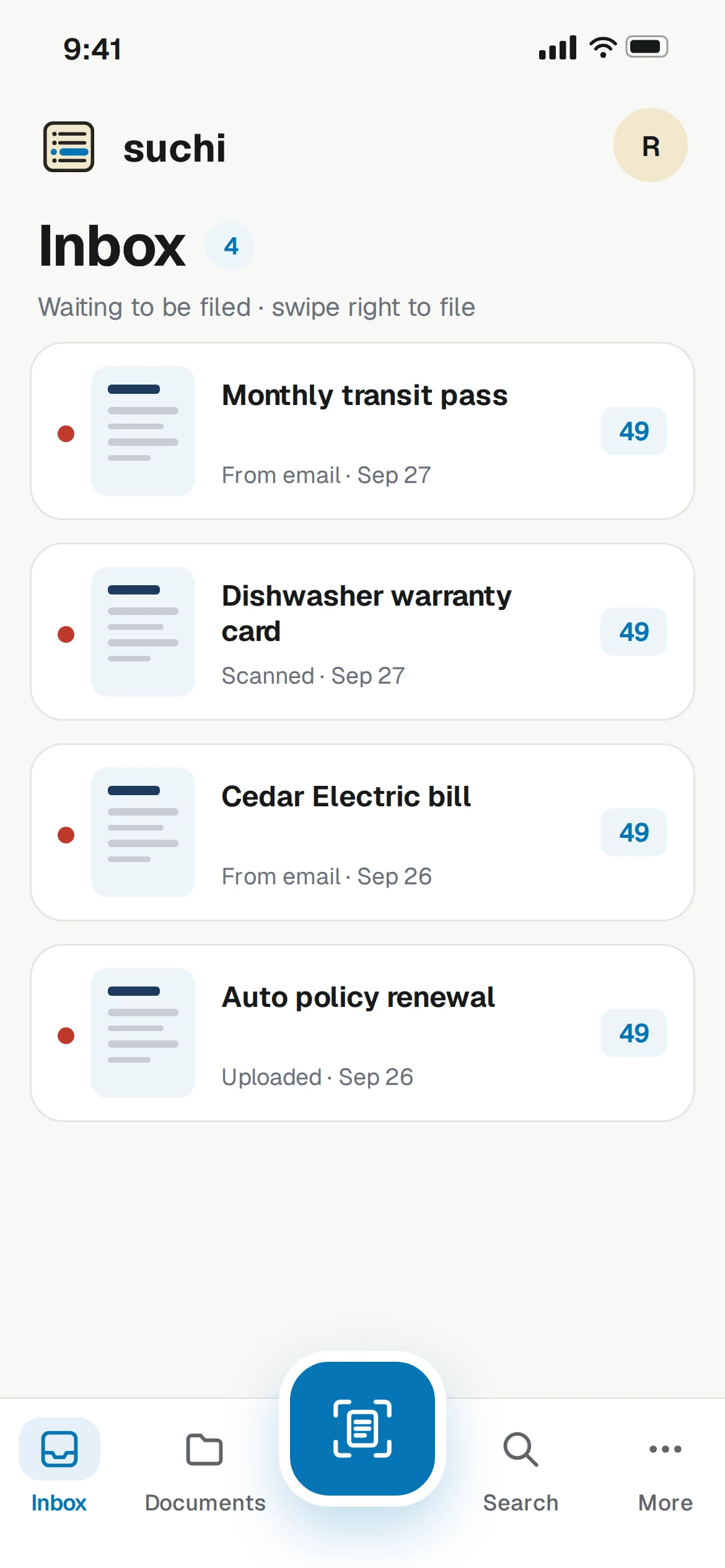
Suchi companion Inbox with a transit pass, warranty, bill and policy renewal
Triage Review new arrivals.
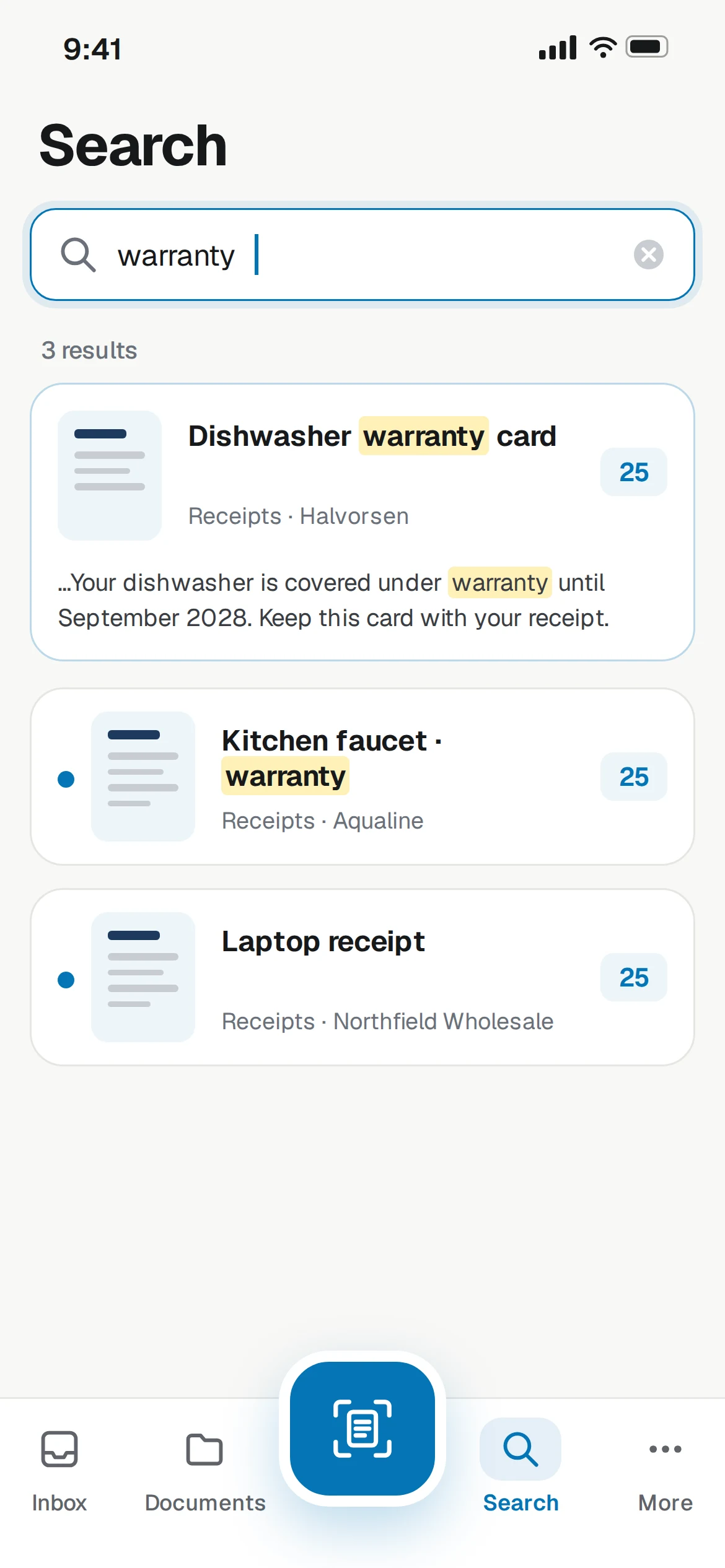
Suchi companion Search showing a highlighted warranty result
Find Search the archive from your phone.
10–19

Why Suchi instead of yet another folder?

You do not need another place to put files. You need to stop losing them. Drop in your documents. Suchi takes care of the rest.

Finding a document
scroll the folder, guess the filename, give up, ask for a reissue
search any word, or open the right drawer
Filing a document
name it yourself and hope you were consistent in 2019
titled and filed for you; the original file is never touched
Duplicates
IMG_2047.pdf, IMG_2047(1).pdf, IMG_2047 copy.pdf
stored once, no matter how many times it arrives
Versions and related documents
save another copy, add FINAL-v2 to the filename, and hope related files stay together
keep versions together and connect related documents with named links
Sharing a document
email an attachment and lose track of who has it
send an expiring link you can revoke
20–29

What it does

One small binary that takes in almost any document, gives it real structure, automates the busywork, and keeps every byte on your hardware.

21

Everything finds its way in

Watched folders, drag and drop, a sidecar spec for scripts, and email: receive a document from audit@… and it lands filed under 23 Taxes. Scans get cleaned up on arrival, while text-native PDFs skip OCR entirely.

emailsOutlook .msg + .eml office docsHEIC e-invoices QR & barcodes
22

Organized your way

Johnny.Decimal is the opinionated default; flat mode keeps familiar tags and fields. Replacements keep their history, while named links connect agreements, receipts, claims, and the records that belong together.

numbered filingflat modenested tagscorrespondentscustom fieldsdocument versionsnamed document links
23

It runs itself

Automations tag, file and route documents as they arrive. Approval flows create human tasks with declared choices. Failed jobs remain visible for retry or dismissal.

automations engineapproval taskshuman-in-the-loop tasks
24

API and MCP access

Automations handle the obvious. Optional model assistance can run locally with Ollama or through an approved hosted service, while the API and MCP server preserve the same document permissions.

suchi mcplocal or hosted endpointsautomationsscoped API tokens
25

Private by construction

A stock server makes no unsolicited outbound connections. Sensitive documents can blur their previews. Share links can expire, need a password or be revoked, and every share is logged.

no unsolicited outbound trafficsensitivity labelsblurred previewsshare links: expiry + passwordaudit log
26

Your archive keeps the dates

Due dates, renewals, expiries, and travel dates show up in the Calendar. Confident dates arrive automatically; uncertain ones wait in Approvals. Each entry links back to the document and text it came from.

automatic date extractionmonth + agenda viewsreview uncertain datesfilter by date role saved View scopeslinked sources
27

Chat with your archive

Ask a question across the archive or a few selected documents. Answers only use files you can access and each one links to its source. Conversations aren't saved and can't change anything.

cited answersask a selectiondocument-backed follow-upsread-only conversations
30–39

Private because of how it’s built

A document archive holds the most sensitive files you own. A stock Suchi server makes no unsolicited outbound connections; optional integrations are visible in config and logged. The mobile client connects to the server you choose. suchi doctor prints the server’s active egress list.

What the server never does

  • Send telemetry, usage stats, or update pings, not even as an opt-in
  • Log document content or OCR text, at any log level
  • Put content in audit events or diagnostics output
  • Send your documents to a cloud LLM without an explicit egress_ack
  • Pretend deleted data is gone everywhere. Soft-delete windows and your own backups are named in the docs

Encrypted in transit

TLS at your reverse proxy, or native TLS_CERT_FILE for proxy-less installs. Secure, HttpOnly cookies throughout.

Encrypted volume as the baseline

LUKS or NAS-native encryption covers blobs, database, and thumbnails in one move. The docs recommend it because app-level encryption can't replace it.

Credentials sealed at rest

Mailbox passwords, OAuth tokens, remembered PDF passwords, and API keys are encrypted with AES-256-GCM before they are stored.

Encrypted backups, for free

restic and borg encrypt client-side by default, so backups leave the box already sealed.

40–49

For self-hosters and operators

AGPL-3.0, one container, and no other services to run. It works on a small VPS or a Raspberry Pi, and backups are one directory. An existing archive imports with one command, metadata inlcuded.

Quick start

Run Suchi locally

Starts Suchi on localhost with Docker and keeps its data in a named volume.

curl -fsSL https://suchi.page/try.sh | bash
docker-compose.yml
# the whole file

services:
  suchi:
    image: ghcr.io/johnnybravo-xyz/suchi
    restart: unless-stopped
    volumes:
      - suchi-data:/data
    ports:
      - "8000:8000"
    environment:
      PUBLIC_URL: https://suchi.example.com

volumes:
  suchi-data:

# Then open https://suchi.example.com/bootstrap
importing an existing archive
# point it at your current tool's export bundle
$ suchi import \
    --from ./export-bundle \
    --owner-email [email protected] \
    --map-jd mapping.toml

✓ 4,182 documents · supported metadata intact
✓ original bytes verified by checksum
✓ unmapped docs waiting in 49 Inbox
✓

First boot prints a one-time setup token. Open the app to create the first admin; add OIDC later if you run one.

✓

Runs anywhere: compose, bare binary with systemd, NAS templates, arm64, even Windows.