# Sharing a document with an expiring link
> Suchi shares can expire, use a password, and be revoked while the file stays on your server, with clear limits once someone downloads a copy.
A personal archive eventually has to serve documents to other people. A landlord asks for salary slips. An accountant needs a year of invoices. A claim handler requests the policy and photographs.
An email attachment fulfils the request by making a copy. That copy can remain in an inbox after the rental is agreed or the claim is closed. It can be forwarded into another thread and survive the recipient’s next phone migration. The sender has no reliable way to recall it.
A link keeps the file on the server. Unless it expires or is revoked, though, an unrestricted cloud-drive link can remain open long after the recipient has finished with the document.
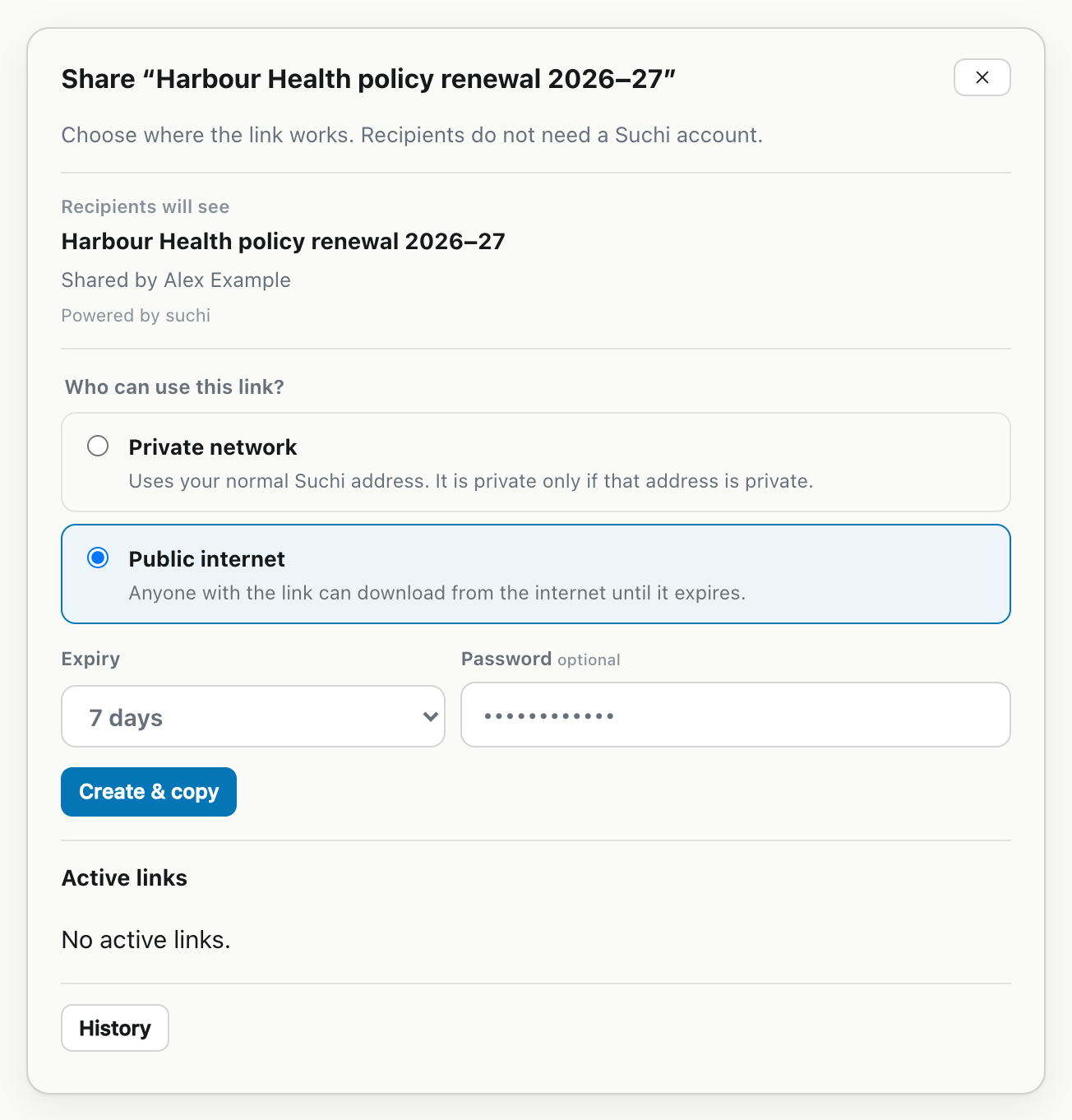
A Suchi [share link](https://docs.suchi.page/permissions#share-links) can be revoked, and a Public link must have an expiry. When creating it, you first choose where the recipient should be able to reach it.
## Choose where the link should work
Suchi has separate **Network** and **Public** share surfaces. Both are bearer access: anyone holding a valid link can use the access it grants. A share is not a user account and does not add the recipient to the archive’s access-control list.
A **Network** link uses the archive’s normal `PUBLIC_URL`. It is private only when that address is private, such as an address available through a home network or VPN. A Network link may have no expiry. If the normal Suchi address is public, the word “Network” does not make the bearer private.
A **Public** link uses a separate public-share address operated for recipients. Its [share-only ingress](https://docs.suchi.page/public-sharing) exposes recipient metadata, password submission, and document downloads. It does not expose the main application, API, login, health endpoints, or application assets. Unknown, malformed, expired, and revoked shares all return the same `404` response on that listener.
Public links must expire. You choose the expiry while creating the link, up to a maximum of 365 days. Shorter choices are available in the web app.
When Public internet is selected, Never expires is no longer available.
These labels describe where a link is served, not who may open it. Neither surface checks that the recipient is signed in. The link itself is the first credential.
## Add a second secret when the document needs one
Both surfaces can use an optional password. Suchi recommends one for confidential or restricted documents. A sensitivity label does not add a password automatically.
Send the password separately from the link: the link might go by email and the password by phone or another messaging channel. Putting both into the same message leaves one intercepted message with everything needed to open the share.
A password adds a second fact the recipient must know. It does not identify that person, prevent forwarding, or turn the browser into a controlled document viewer. The share remains bearer access with an additional secret.
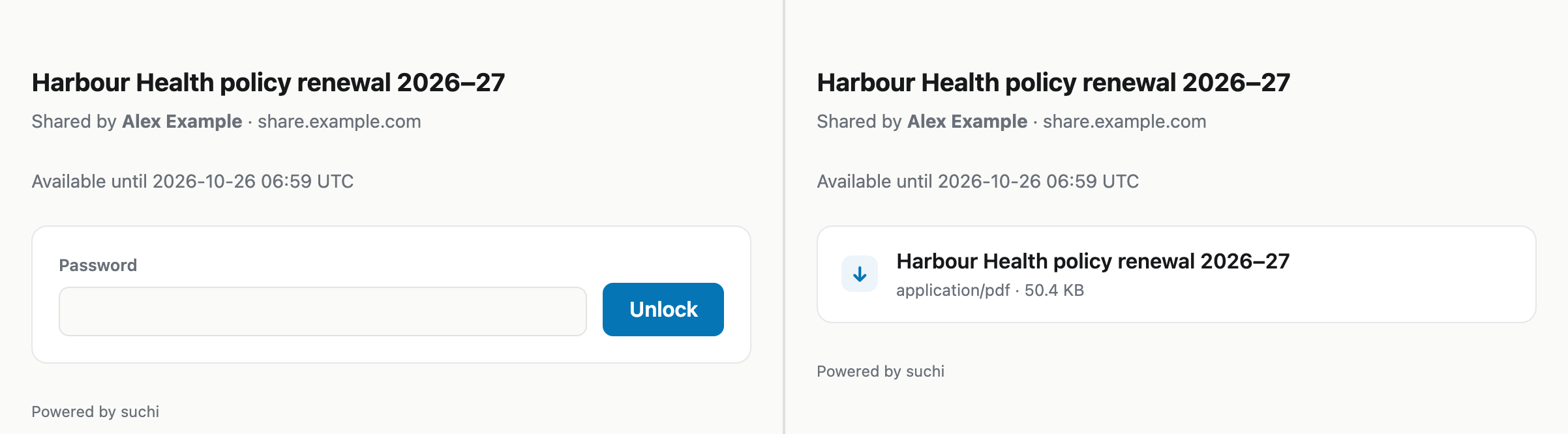
The recipient first sees the password prompt, then the PDF download.
## Stop future access from the document
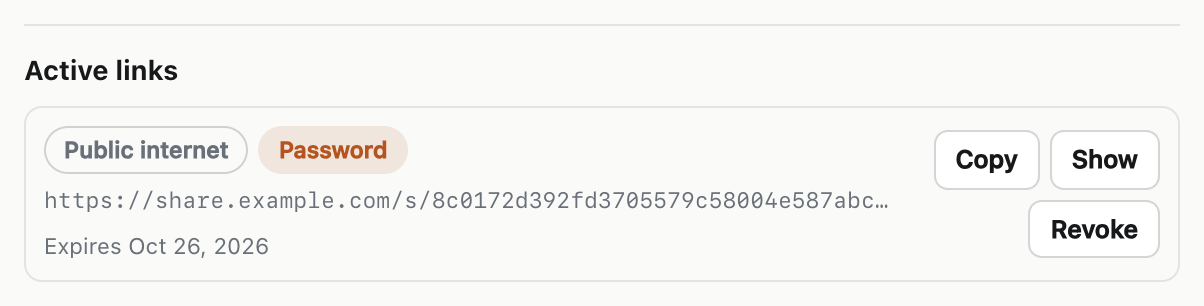
Document Detail shows every active share. From there, you can copy or show a link again, or revoke it. Public expiry stops access automatically; manual revocation stops later requests immediately on either surface.
Each active link shows its surface, password, and expiry, with Revoke beside it.
If the recipient has not downloaded the document, revocation or expiry lets the server reject the next request. There is no long-lived attachment in the original message, and the archive serves the bytes only while access remains valid.
A revoked link cannot retract bytes already downloaded. If the landlord saved the PDF, the landlord has the PDF. A screenshot, printout, or copied file also sits outside the archive’s control. Expiry is an access boundary, not digital rights management.
The original message contains the link rather than a file. After expiry, a forgotten or forwarded link no longer grants access.
## Before sending a link
Use Network only when the normal Suchi address has the intended private reach. Use Public when the recipient needs the separate internet-facing surface. Set the public link’s expiry, add a password when appropriate, and deliver that password separately.