Search finds the scan in seconds. Then an office asks for the original.
Some documents can be shredded after scanning. A birth certificate, notarised agreement, degree certificate, or hard-won loan closure letter may have to stay. The searchable PDF answers what the document says, but it does not say which folder or box holds the sheet that produced it.
Archive serial numbers solve that lookup with one rule: put a numbered label on the first page before scanning, store the same number with the digital document, and file the originals in numeric order. The box needs no subject categories. Search the archive, read the number, and retrieve that position from the physical sequence.
You don’t need QR codes for this. A sticker with a handwritten number works, as long as you type the same number into the document’s Archive serial number field after scanning. QR labels are for people who’d rather not: with Assign turned on, Suchi reads the label off the first page and fills in the number itself. Split goes further and uses the labels to cut a feeder scan of several documents into separate ones.
Give the document and its scan the same number
With the default case-sensitive prefix, a QR payload for item 4021 is:
ASN4021Print the human-readable number beside the code. The QR is for the scanner pipeline; ASN 4021 is for the person holding the page. Zero padding is allowed, so ASN004021 and ASN4021 both store the integer 4021.
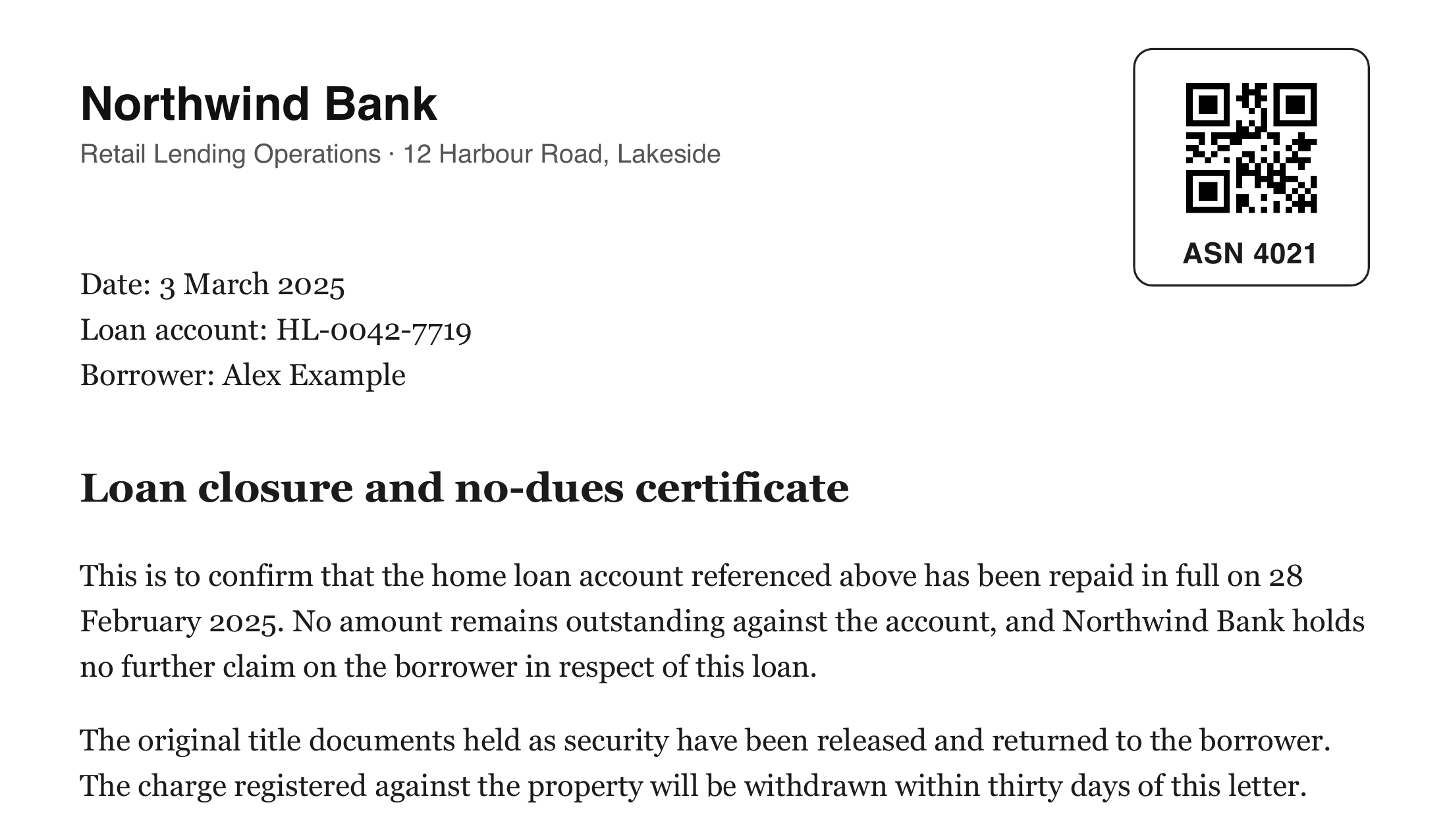
ASN4021; the printed number beside it is for the person holding the page.Suchi reads labels; it does not print them. Any QR generator that encodes plain text will do because the payload is only the prefix and number. Sticker sheets from an office printer and a small thermal label printer both work. Number a run in sequence before printing, apply the labels in that order, and make the printed text match each payload exactly. The number on the page and the page’s position in the box should stay aligned.
Someone viewing the scan can read its ASN and fetch the original. Someone holding the original can search that number to open the digital record.
asn:4021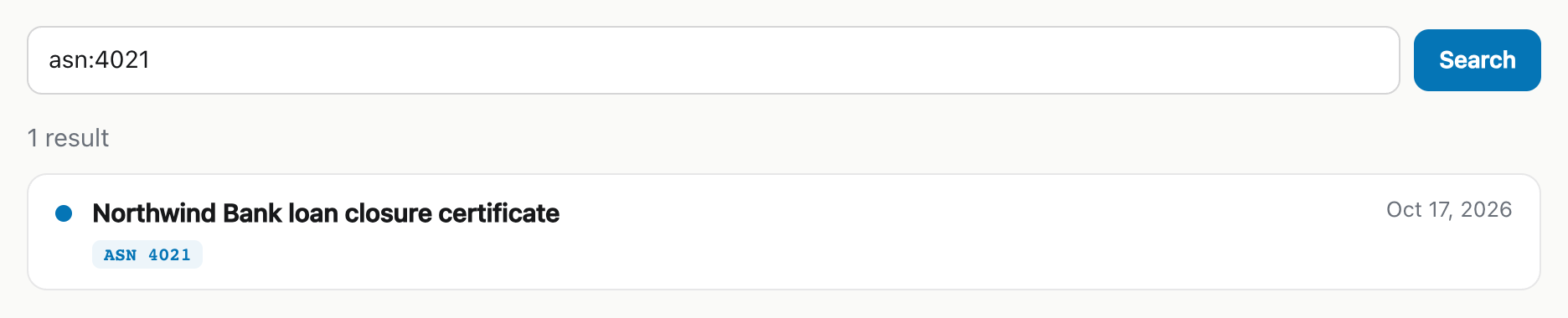
The ASN is separate from Suchi’s database ID and filing address. Database identities can change during a portable reimport; the number printed on the document is retained metadata chosen for the physical archive.
Older documents do not need to be rescanned. Put a label on the original, open its document, and type the same number using Edit beside Archive serial number. The same uniqueness rules apply as for a scanned label.
Use Assign when the scanner already separates documents
ASN recognition is off until an administrator chooses a mode under Settings → Archive configuration → Advanced → Scan processing. A change applies to the next processing job without a restart.
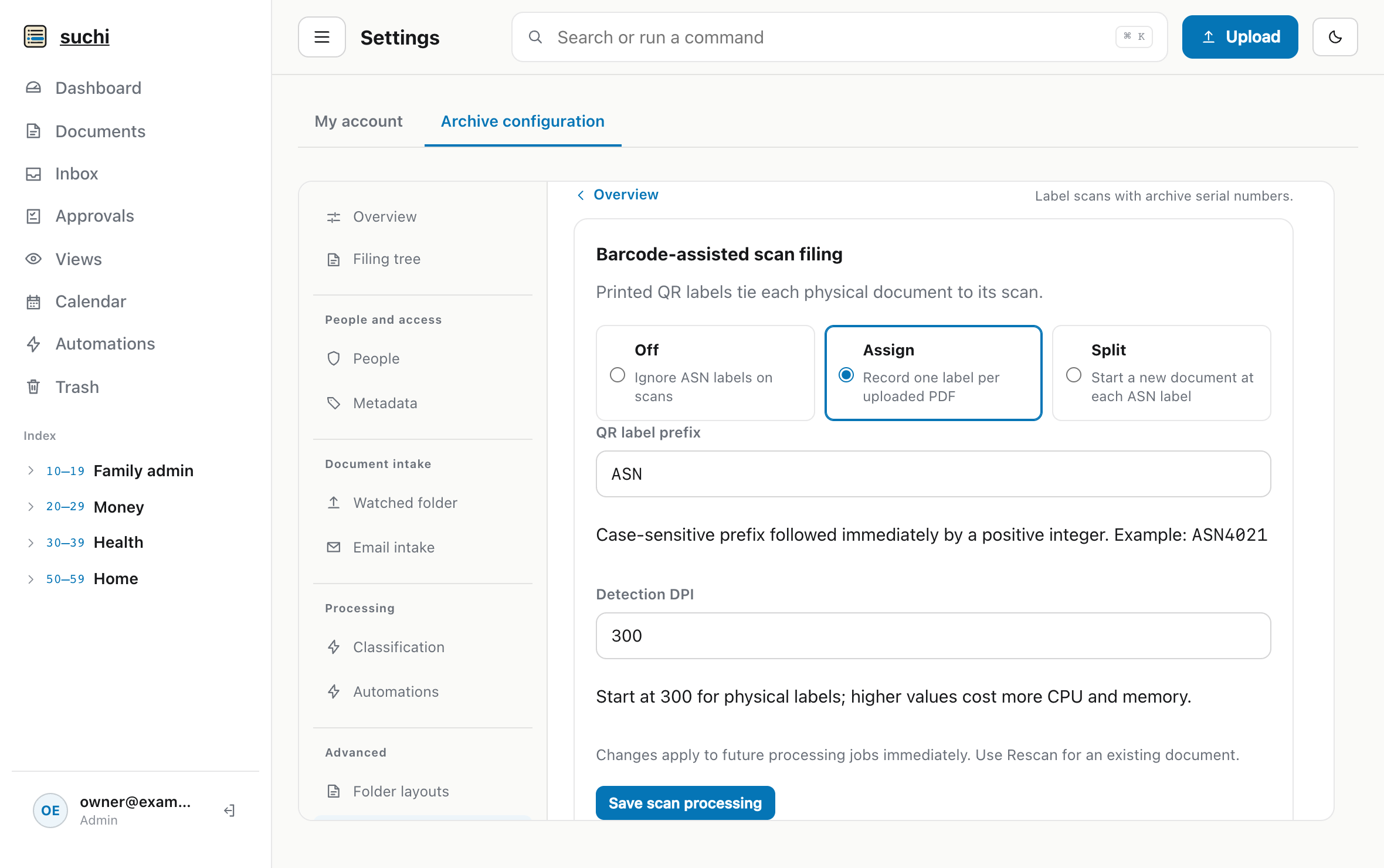
Assign fits scanners and capture routines that already produce one PDF per physical document. If Suchi sees an ASN-looking payload, the PDF must contain exactly one valid label. Every page remains in the document. An unlabelled PDF is left alone.
This mode adds the physical identity without asking the barcode to decide where one document ends and another begins. It is the conservative starting point when the scanner already handles boundaries reliably.
The prefix is configurable and case-sensitive. Keep it short, print it visibly, and make sure it cannot overlap a disposable separator token used by the installation.
Use Split to scan a whole stack once
A backlog creates a different problem. A document feeder can accept a large stack quickly, but normally produces one large PDF. Feeding each letter separately wastes that throughput. Splitting the combined file by hand merely moves the delay into a PDF editor. Blank-page splitting can work in a controlled process, but a sparse legitimate page is an unsafe boundary.
Split mode uses the retained labels already needed for physical retrieval.
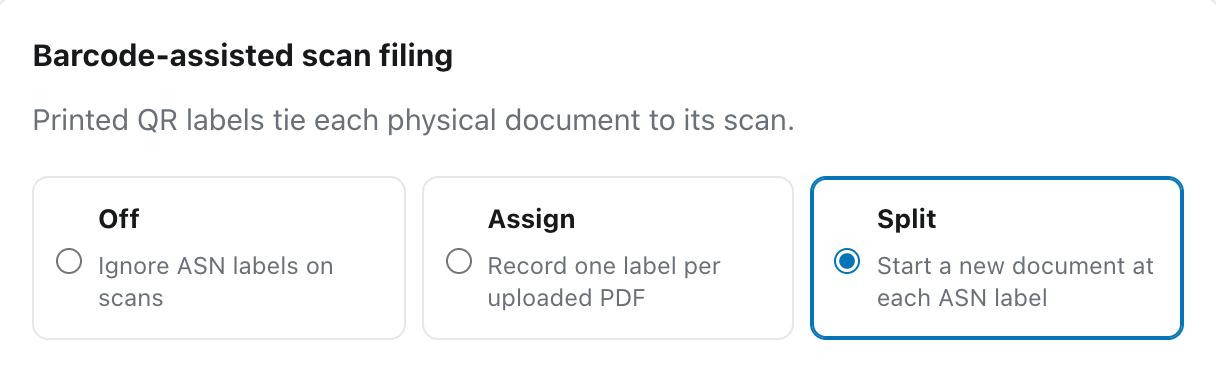
Put one label on the first page of each physical document, stack the documents, and scan once. If any ASN is present, page 1 must carry a label. Every later labelled page starts the next document. A page cannot contain two ASN labels, and one canonical number cannot repeat within the batch.
feeder-scan.pdf: four pages with three labels become three documents tagged ASN 4021, 4022 and 4023, and the first opens with its labelled page. The processing wait is shortened.The labelled page is not a disposable separator. It becomes the first page of its document and is protected from blank-page removal. If a batch contains only one labelled document, Suchi records the number on the uploaded row without creating an unnecessary child or duplicate blob.
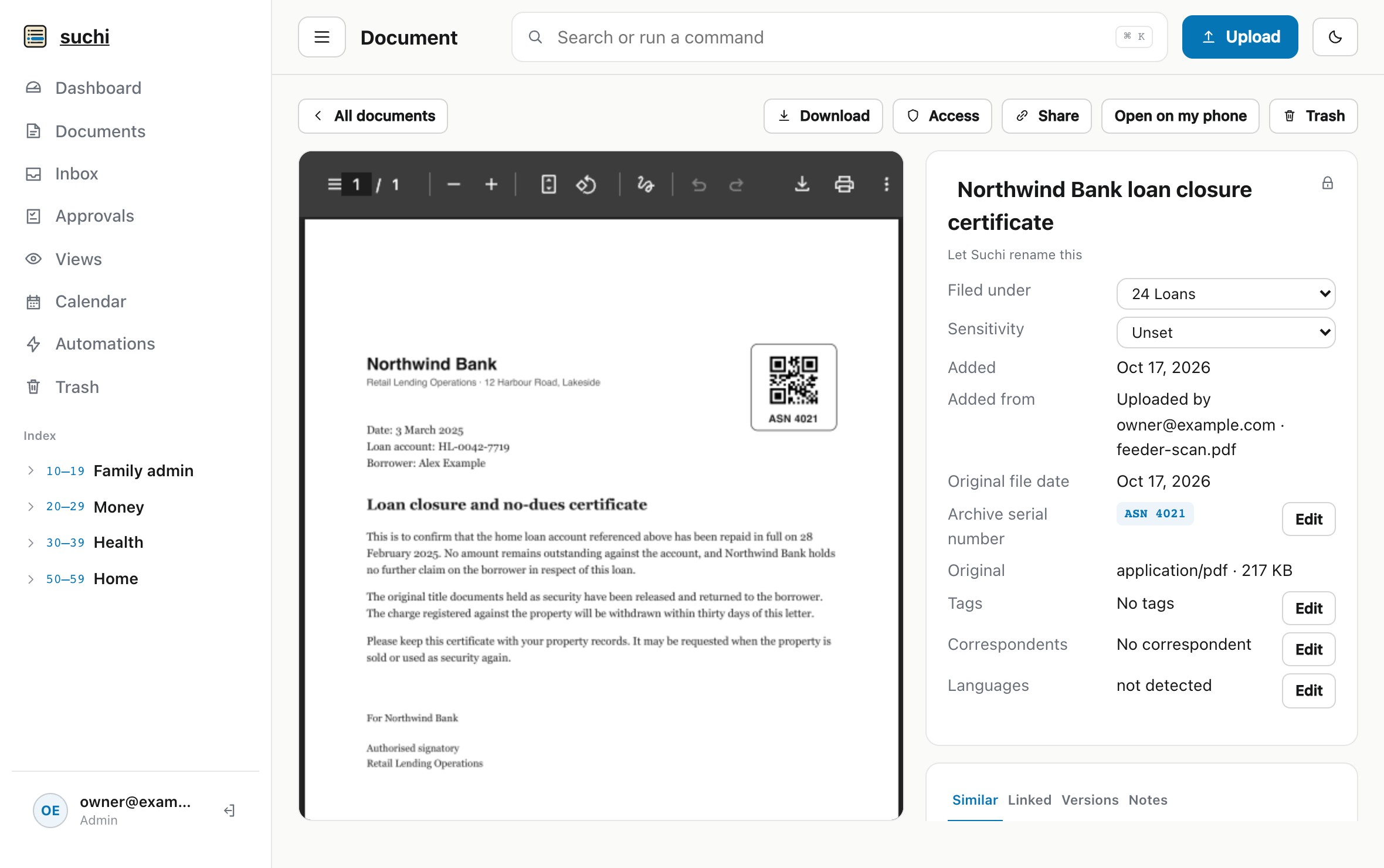
Validate the whole feeder batch before filing it
The combined upload is stored as an immutable original. Suchi rasterises its pages once, validates the complete marker plan, checks every ASN, and stages every child PDF before committing them in one transaction. The combined parent moves to Trash only after that child transaction succeeds.
A malformed prefix-looking label, a missing leading label, a duplicate number, a mixed marker family, or an ASN already retained by the filing system stops the workflow. No child document becomes visible. Once a marker plan fails, the input is not reinterpreted as an ordinary unlabelled scan.
The upload row explains the problem, including the page and number. When permissions allow, it names the document that already holds a conflicting ASN and links to it. Administrators can also see the raw error under Approvals → Processing issues.
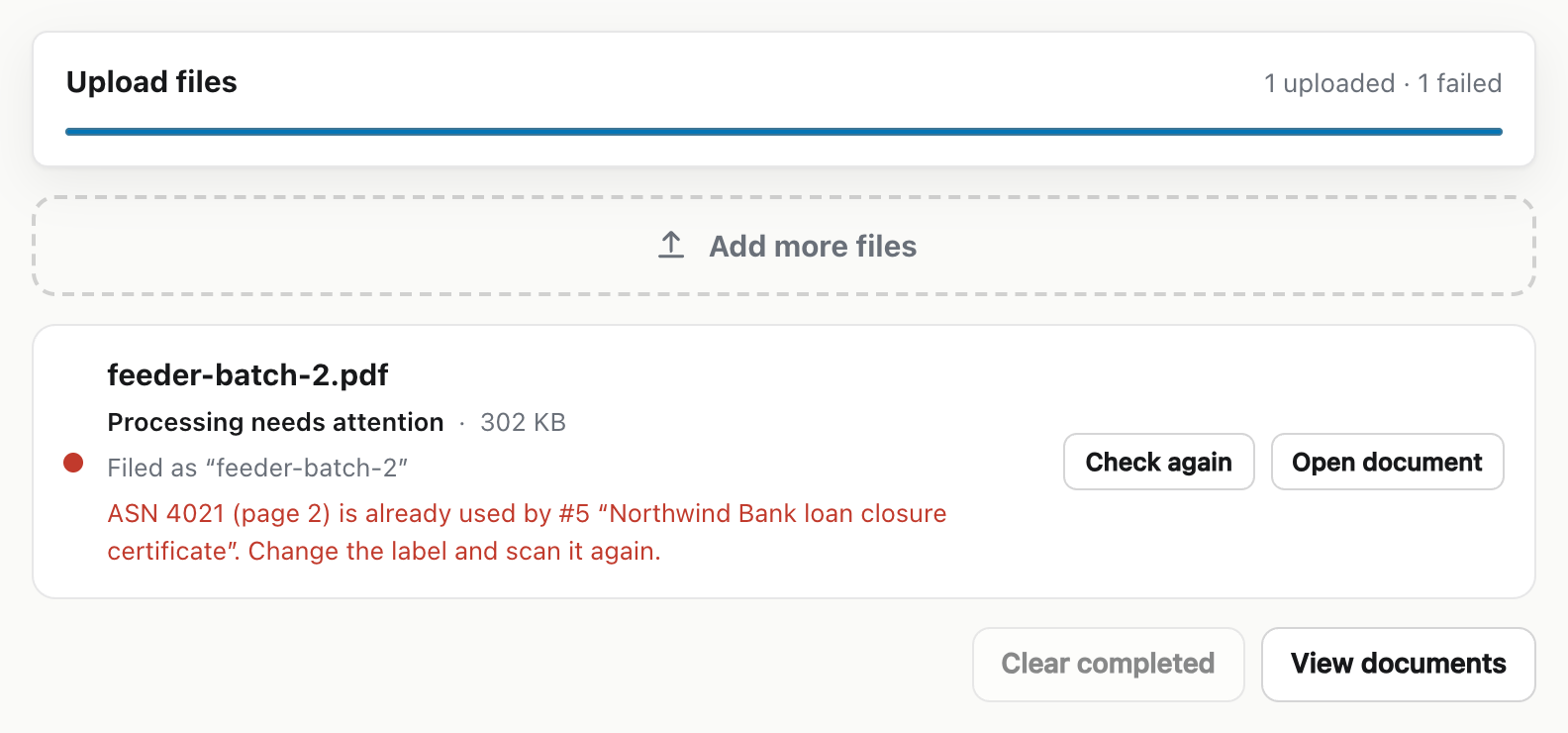
Without that all-or-nothing commit, half a stack could be imported correctly while the remaining pages were attached to the wrong documents. Suchi leaves the complete batch uncommitted instead. Fix the label or page order and submit it again. Retrying a completed split returns the existing children rather than creating another set.
Do not reuse an ASN while its record exists
An ASN is unique within one filing system. The reservation includes live documents, documents in Trash, and older rows in version history. Removing a document from the main list is not enough to recycle its label.
Use the following searches to find a conflict in live documents, Trash, or version history:
asn:4021
asn:4021 is:trash
asn:4021 version:all
An administrator can deliberately clear an ASN from a live, trashed, or historical row when releasing the conflict is genuinely intended.
A replacement upload creates a new immutable digital version, but the physical document has not changed. Suchi moves the ASN atomically to the new version head and clears it from the predecessor. A selected rendered layout follows the number only when its path template includes the ASN variable.
Carry the number with a takeout
Native takeout writes archive_serial_number into each relevant JSON sidecar. Reingesting an original beside that sidecar preserves the number when it is available in the target filing system. A collision rejects that document atomically instead of assigning one physical number to two recoverable records.
A portable takeout is not an exact restore. Document IDs, memberships, permissions, version families, and audit history require a tested whole-data-directory backup. The export and reingestion guide covers the portable route; the complete backup remains the disaster-recovery route.
The operational contracts for labels and supported inputs live in the format documentation. The configuration reference owns mode and prefix settings, and the query reference owns asn: searches.
Test labels before printing a large run
ASN detection uses the Detection DPI field on the same settings screen. Its default is 150 DPI. Start physical-label calibration at 300 DPI, then test the smallest intended code with the oldest scanner and strongest compression the real archive will use.
Test clean, skewed, low-contrast, and compressed pages. Submit a duplicate and a malformed label. Check a conflict in Trash, a retry, a replacement upload, and a takeout reingested into a scratch system. A small test roll is cheaper than discovering that thousands of labels sit just below a scanner’s reliable resolution.
QR decoding, validation, splitting, uniqueness checks, and editing all happen locally, with no model or hosted service. After filing, asn:4021 opens the scan and the same number locates the original in its box.