A fridge comes with an invoice and a warranty card. Two years later it adds a repair receipt. Most archives store each of these as a separate file, so the fact that they’re about one fridge exists only in your memory.
That works until you need all of them at once. When the fridge breaks down again, it takes five searches, eight open tabs, and a growing suspicion that one piece is still missing.
Suchi has two features for this. A replacement version says “this file supersedes that one”. A document link says “these two documents are related”. They’re easiest to explain through the situations they fix, and the difference between them matters most when a document changes after you’ve linked it.
Replace a rough copy with a better one
Open a document and choose Upload replacement. The new file becomes the current version, and the older one stays underneath it in Versions.
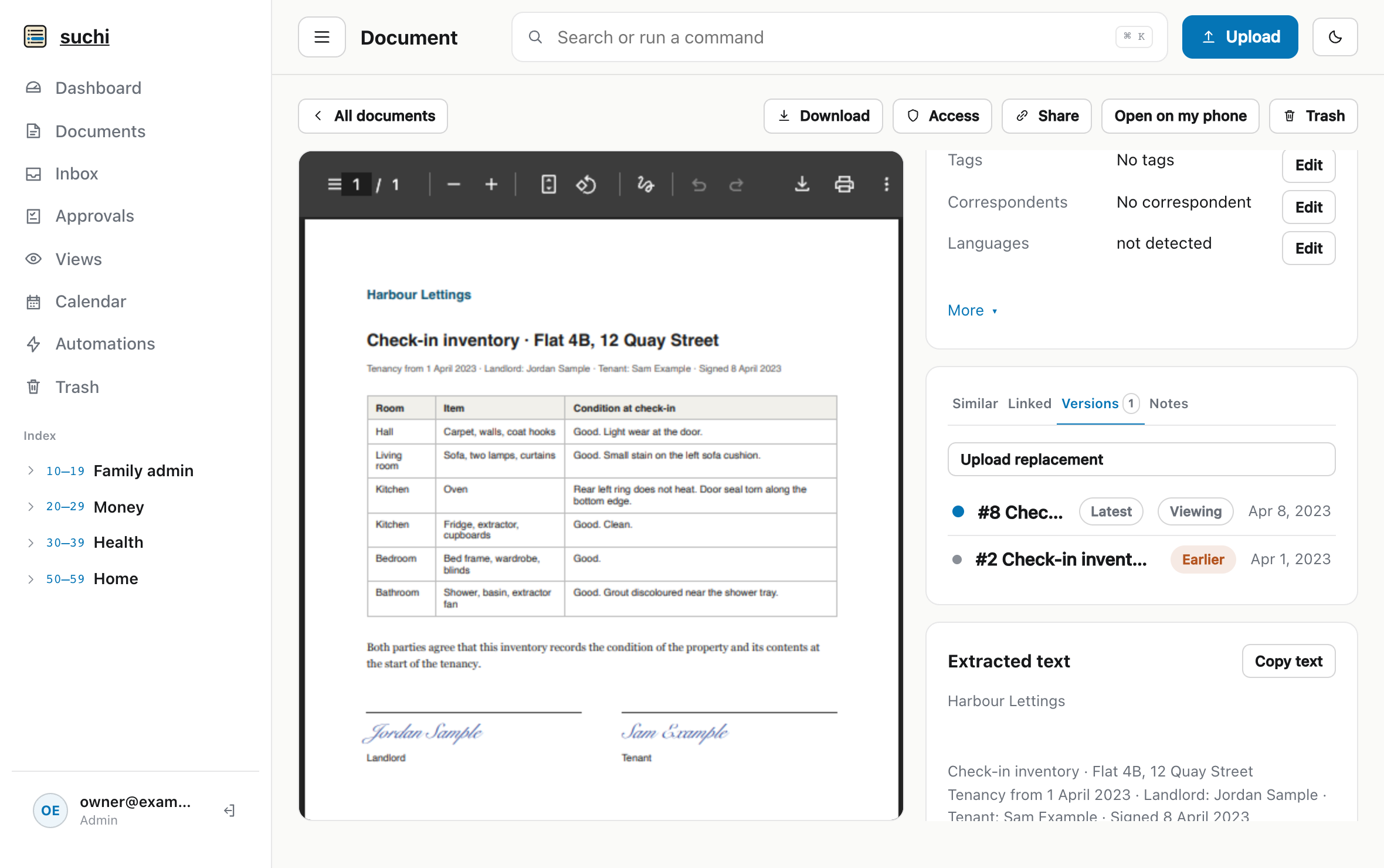
The phone photo of a contract, taken at a counter, gets replaced by a proper scan once you’re back at your desk. It keeps its title, category, tags, sender and archive serial number, so it stays in the same place in the filing tree with the same label as the physical original. A vendor sends a corrected invoice, and the wrong one stays in the history. You’ll want “what they first sent” during the argument about it.
Documents, Search, Calendar and Ask your documents show the newest version you can see. An earlier version keeps its own address, so a bookmark to it still opens that file, and version:all or version:older in a search brings the history back. Nothing is overwritten.
A new version doesn’t inherit everything. It starts with its own extracted text, no custom-field values, no notes and no links of its own, because those described the older file. If they still apply, set them again.
Connect a document to its relatives
Links are named relationships. An administrator creates one as a custom field of type Document link under Settings → Archive configuration → Metadata → Custom fields: Warranty, Payment receipt, Reply to, Tenancy, or whatever your documents need. On a document, open Linked documents, choose Add link, pick the relationship, and search for the other document.
Both ends show it. The fridge invoice lists its warranty card under This document links to, and the warranty card lists the invoice under Documents linking to this version. When the compressor dies the day before the warranty does, the invoice and the warranty card are one click apart, and so is the repair receipt if you linked it too.
Suchi shows only direct links. It doesn’t follow a chain of links and lay the whole family out on one page. A long thread, such as a disagreement with the bank, reads best when each letter links to the same document, usually the first one. That document then lists every letter that refers to it.
Get the deposit back
Before the first document arrives, add two link types under Custom fields: Tenancy, for anything that belongs to this tenancy, and Reply to, for a letter that answers another one. From then on, every document about the flat has something to point at.
On moving in, the letting agent emails the inventory before anyone has signed it. You file it and give it a Tenancy link to the rental agreement. The signed copy comes back a week later and replaces it, with the unsigned one kept under Versions.
The signed copy starts without links. The unsigned one keeps its Tenancy link, so if you stop there, the rental agreement lists the draft, marked Earlier version, and not the inventory anyone signed.
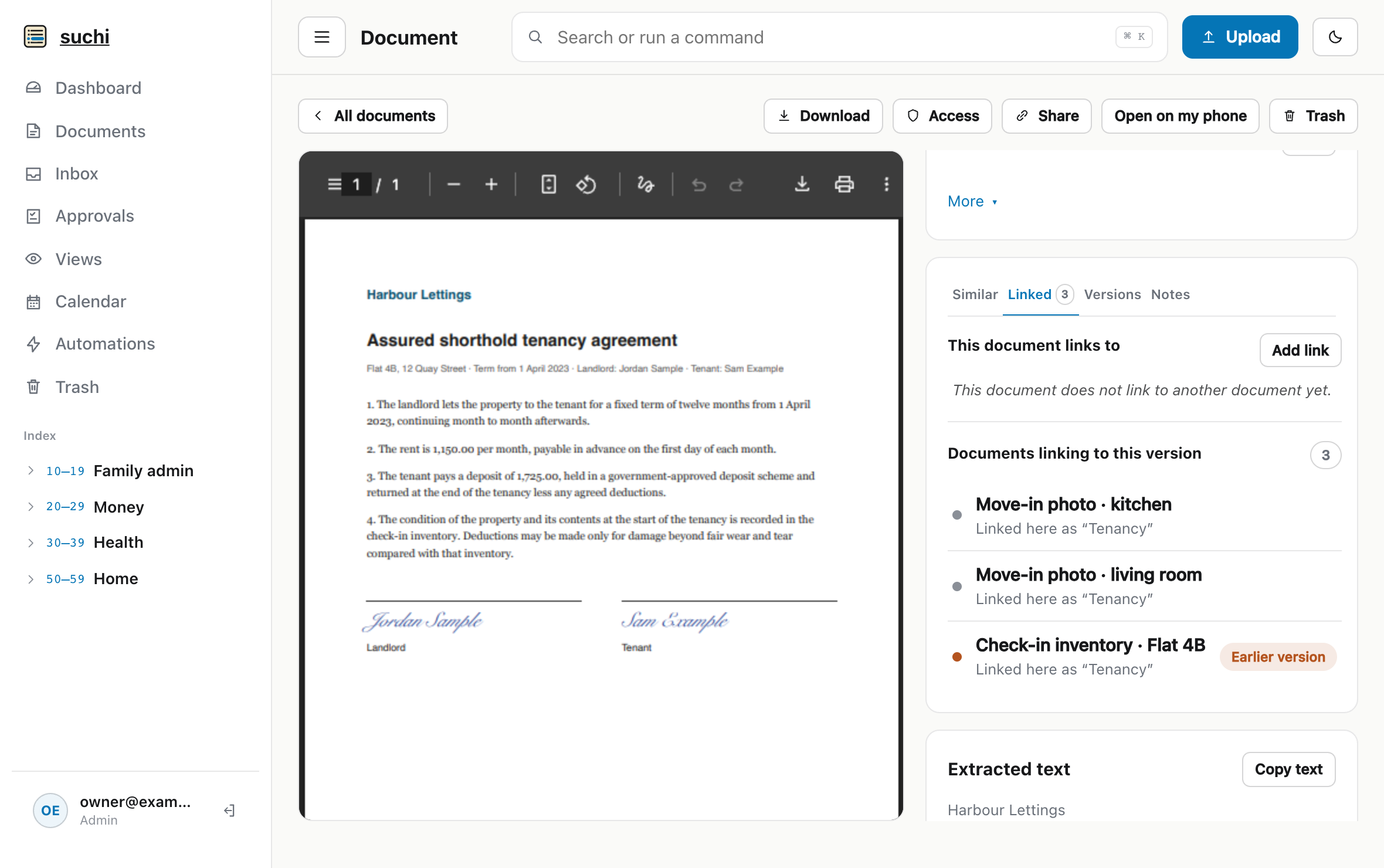
Open the signed copy, choose Add link, pick Tenancy and find the agreement. The photos you took of each room that day get the same link.
You can also hand this to an AI assistant. Suchi’s MCP server lets an agent you’ve connected search the archive and set links with your permissions, using the link types you created. While you photograph the rooms, it can find the rental agreement and give each upload its Tenancy link, including the signed inventory that replaced the draft.
Three years of ordinary paperwork follow: a rent increase letter and the emails about a cleaning service. Each one gets a Tenancy link when it arrives.
At move-out the landlord deducts the cost of the oven, which was broken before you arrived. You open the rental agreement. Documents linking to this version lists the signed inventory, the photos from move-in day and every letter since. The inventory shows the signed copy, with the draft the letting agent first sent still underneath.
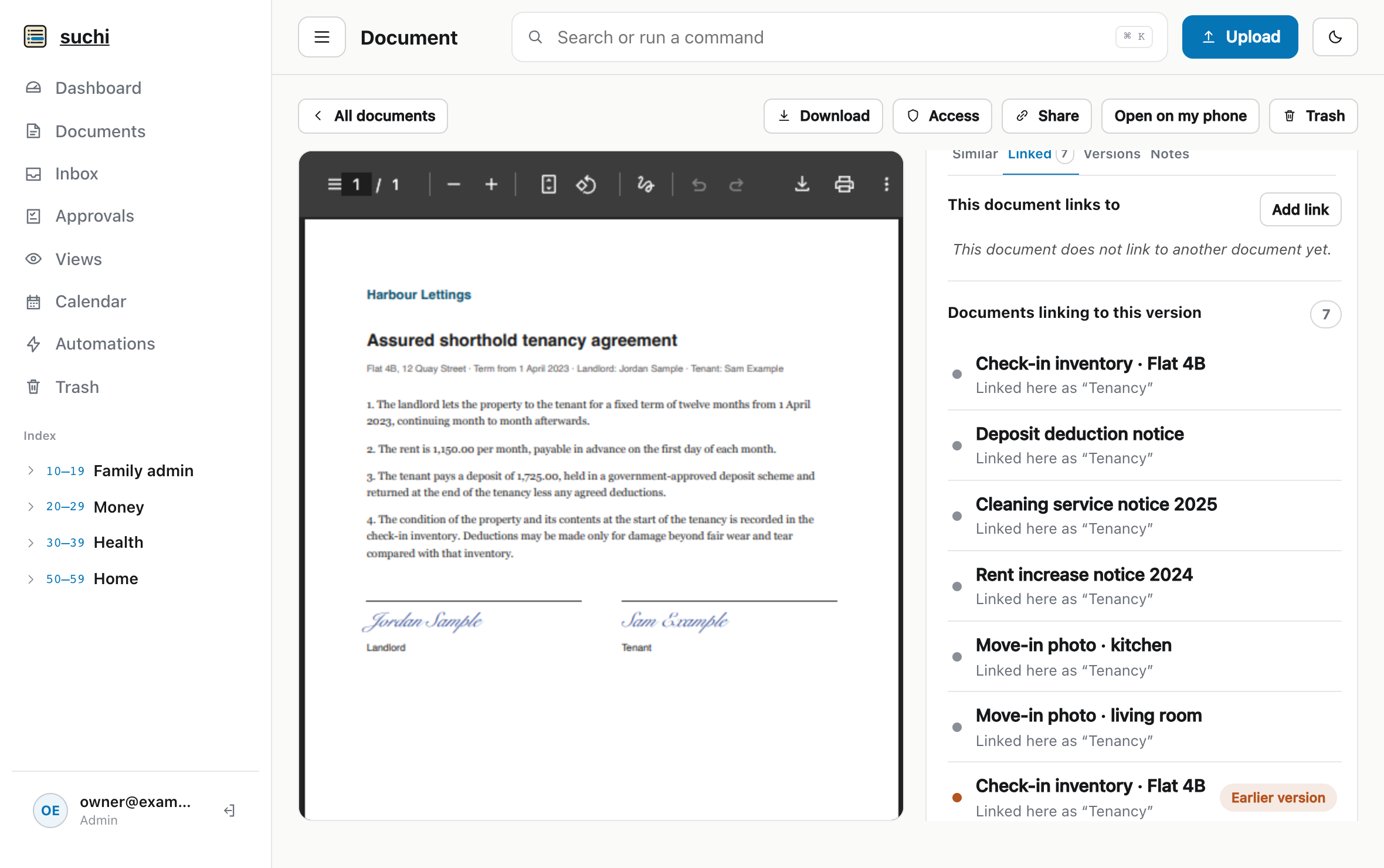
Select the inventory and the kitchen photo in Documents and send them with one expiring share link. Your reply to the deduction notice gets a Reply to link to it, so the notice shows your answer under Documents linking to this version.
What Suchi leaves to you
Suchi doesn’t guess links or versions. It won’t notice that a new upload is a better copy of an old one, and it won’t link the warranty to the invoice because they share a sender. You add each relationship yourself, usually when the document arrives and you still know what it belongs to.
A link also points at one exact version. If the warranty card is later replaced, the invoice still points at the old copy and labels it Earlier version. Suchi never moves a link to the new version for you. If you can’t see a linked document, or it’s in Trash, it’s left out of the link lists, without a title or count that would reveal it exists.
The versions and links guide covers the rules for permissions, Trash and permanent deletion.