Three letters arrive in the evening. They are opened at the kitchen counter, read once, and left beside the scanner. Filing would take a few minutes. At nine o’clock, those minutes have to compete with everything else. By the weekend, the three letters are the start of another pile.
Digitising the letters does not remove the filing work. New scans can collect in an Inbox, each waiting for a correspondent, tags, a type, and a destination. A growing Inbox still takes time to clear.
In Suchi, exact rules handle recurring documents. Local matching or an optional classifier can propose a category for the rest. Suggestions that need a decision wait in Approvals with an explanation.
Decide where documents belong
Suchi uses filing trees based on the Johnny.Decimal concept. A household might have an area for money and categories for insurance and tax records. A small business will choose a different tree. Use names you will still recognise in the sidebar years later. Why Suchi files every document under a number explains how the trees are numbered and why.
Suchi includes ready-made starting trees and accepts custom ones. The selected tree defines the available categories. Filing trees carry no automations. You decide which repeatable facts, if any, should send documents to each category.
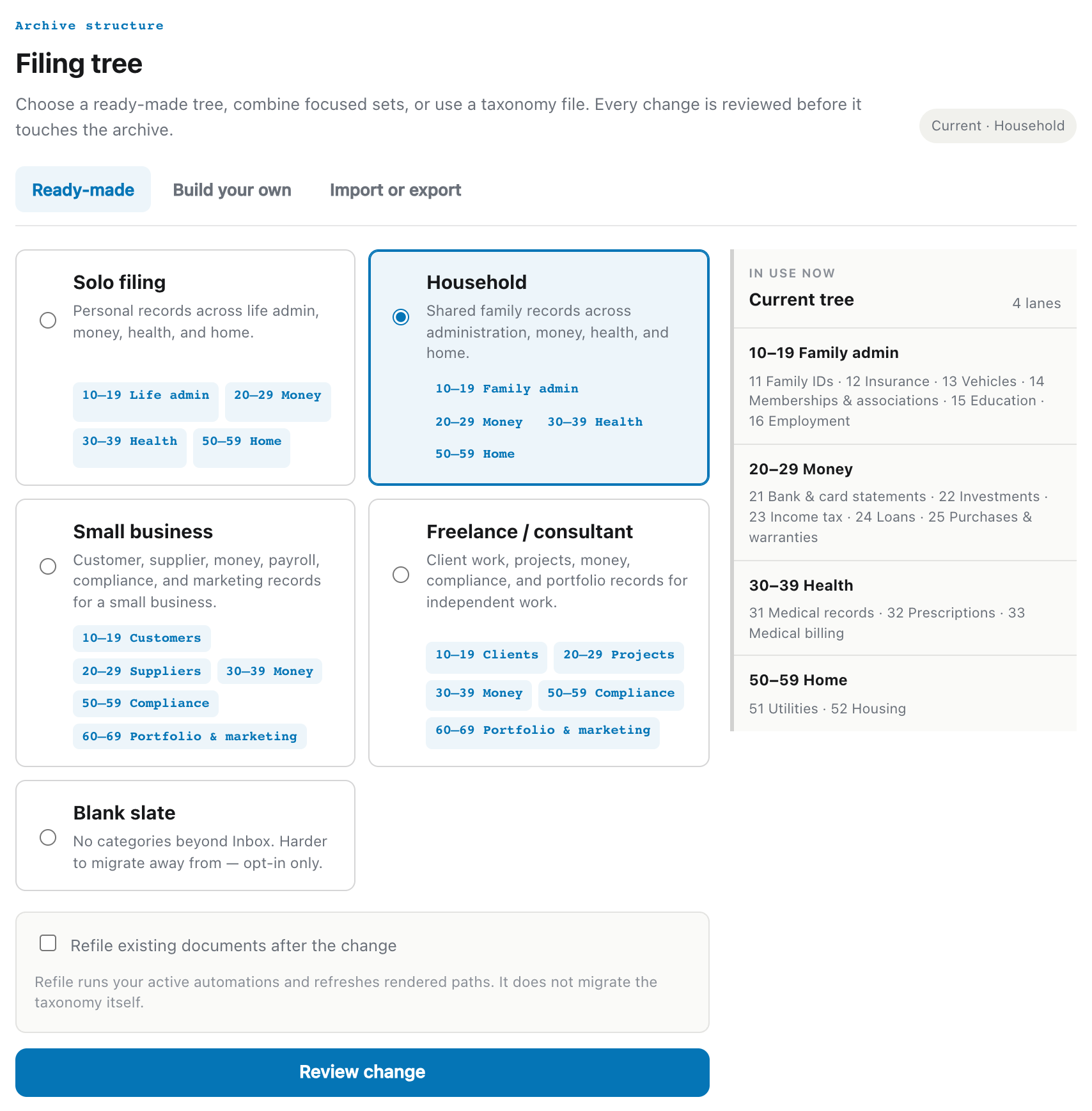
A category called Insurance is not enough reason to route every document containing that word. It could be a policy, an invoice, a cancellation letter, or an unrelated bank statement. The filing tree defines the destination; an automation must still state the evidence for using it.
Each document has one primary category. Tags, correspondents, dates, and typed fields describe other aspects of it, and search uses all of them.
Keep the folders you already have
If you’ve spent years putting policies in Insurance/Harbour Health/2025, a filing tree doesn’t ask you to stop. A folder layout rebuilds that path on disk from each document’s own facts: its category, its sender, and its date. Next year’s Harbour Health policy lands in the folder you’d have dragged it into, once it’s filed.
The layout only changes where the file appears on disk. Inside Suchi the policy is still filed in its category, so the sidebar and search behave the same. Keep the folder layout you already use works through a simple, a medium, and a complex layout.
Let repeat documents follow a rule
The first useful rules are usually dull. A watched-folder path targets one category. Mail from a known sender gets a correspondent. A filename pattern marks a scanner source. A subject line or exact content expression identifies a recurring bill.
Suchi’s automations are deterministic and ordered. They can inspect sources, filenames, mail details, tags, correspondents, titles, and extracted text, then assign the configured category or other metadata. If a pattern is malformed, Suchi rejects the rule when it is saved rather than keeping a rule that will never fire.
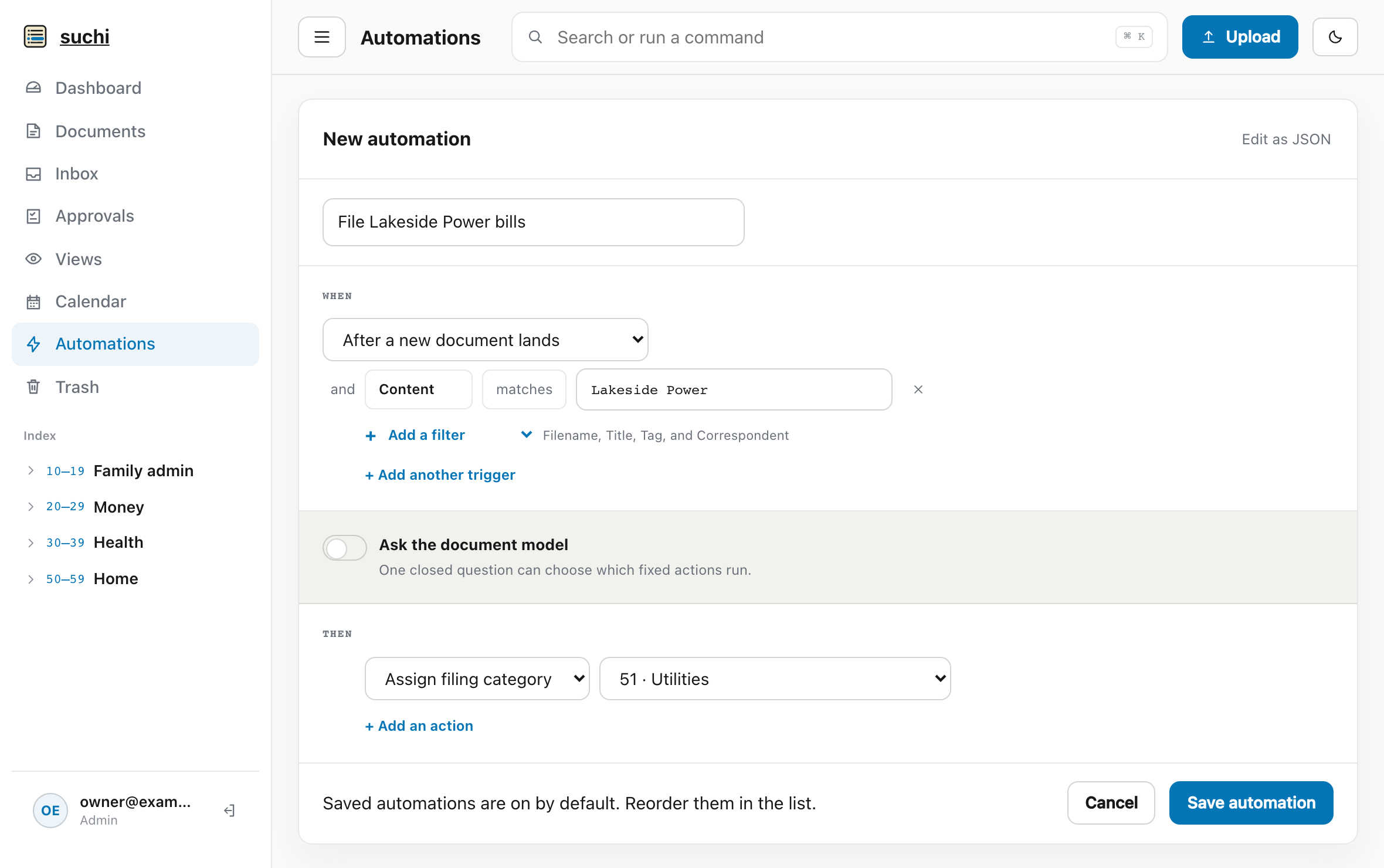
Lakeside Power is filed in 51 · Utilities.The rule works on the first matching bill. It needs no hand-filed training set, and anyone can understand the decision by reading the rule. Checking a utility’s sender and account phrase is more dependable than asking a classifier to rediscover the same fact every month.
Rules match only the conditions configured in them. A new correspondent, an irregular letter, or a document with several plausible destinations needs another route.
Get a suggestion for the rest
Suchi can compare a new document with the local archive. It can also send a bounded question to a classifier you configure. Both are optional.
You give the classifier a closed yes/no question or a short list of allowed answers, then map each answer to a local action. It might check a likely contract for an automatic-renewal clause or choose among a few offered categories. Invalid answers, invented choices, and answers without supporting evidence are discarded.
Two letters from the same insurer can belong to different policies, even when their text is similar. Separate thresholds decide whether a local match may apply automatically, should become a suggestion, or should do nothing.
Choose how much review you want
Approvals turns an inferred change into a visible decision. Suchi offers two modes.
Apply when confident allows eligible model and local-match changes above their configured thresholds to apply. Anything below the threshold, or anything that needs review for another reason, waits with the suggested value and an explanation.
Review first sends every valid inferred change to review, including a high-confidence one. Deterministic rules stay separate because they represent filing decisions you already made explicitly.
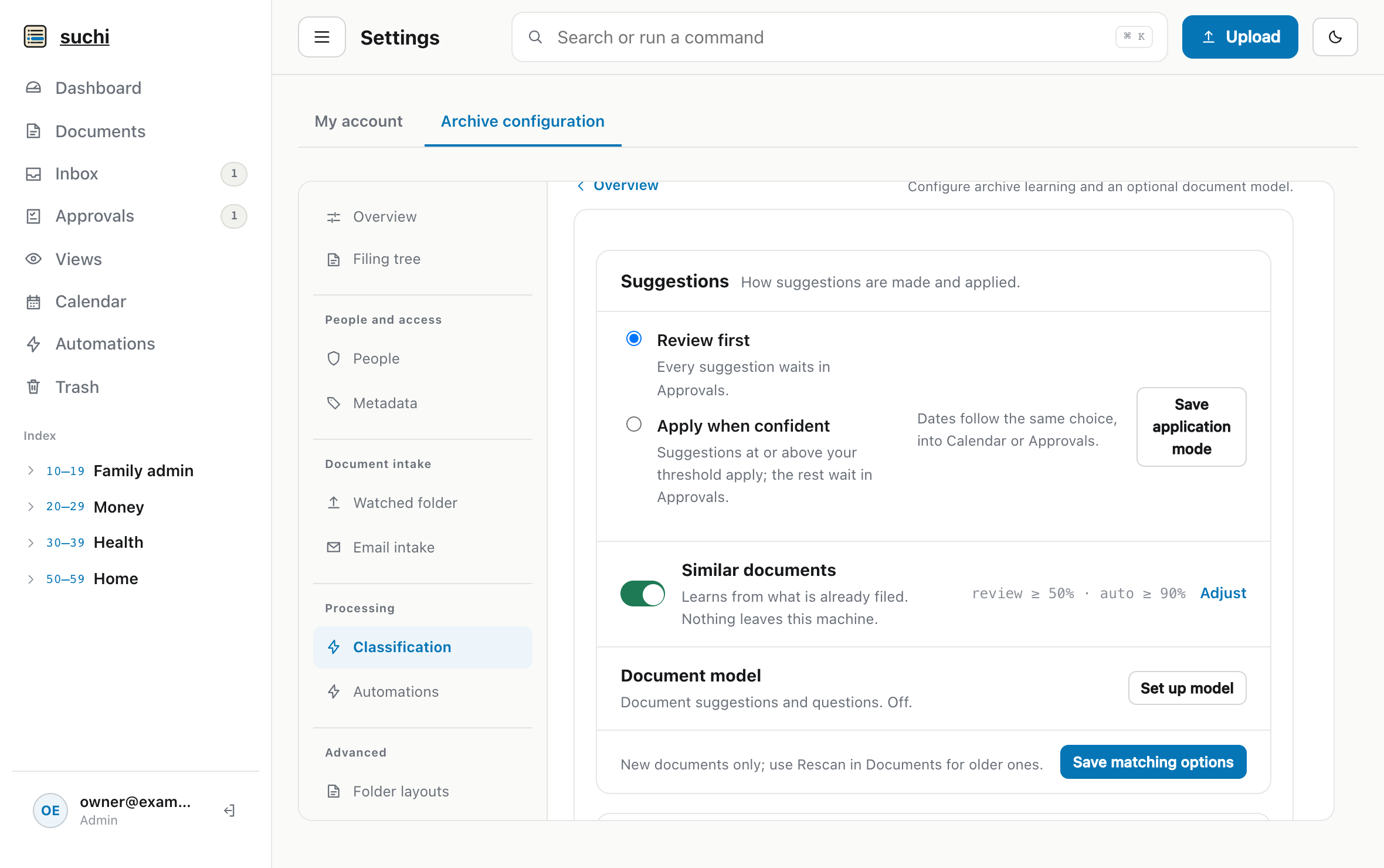
A review card shows the current value, the proposed value, and why it was suggested. Accepting it records a human decision. If the document changes before that decision, Suchi invalidates the stale proposal instead of applying it to a different state. The proposal remains visible until someone accepts or rejects it.
A new archive can begin in Review first while its rules and thresholds settle. After those settings prove reliable, narrow cases can apply automatically while unusual documents continue to wait for review.
What happens to the three letters
The three letters can be scanned or photographed before they leave the counter. The recurring bill goes straight to Utilities under its rule. A second letter produces a suggestion in Approvals, and only the unfamiliar third letter remains in Inbox.